How to Write FAQ Answers for a Chatbot: Practical Examples
Write clear FAQ answers for your chatbot with a reusable worksheet, three before-and-after examples, explicit conditions and a practical testing method.
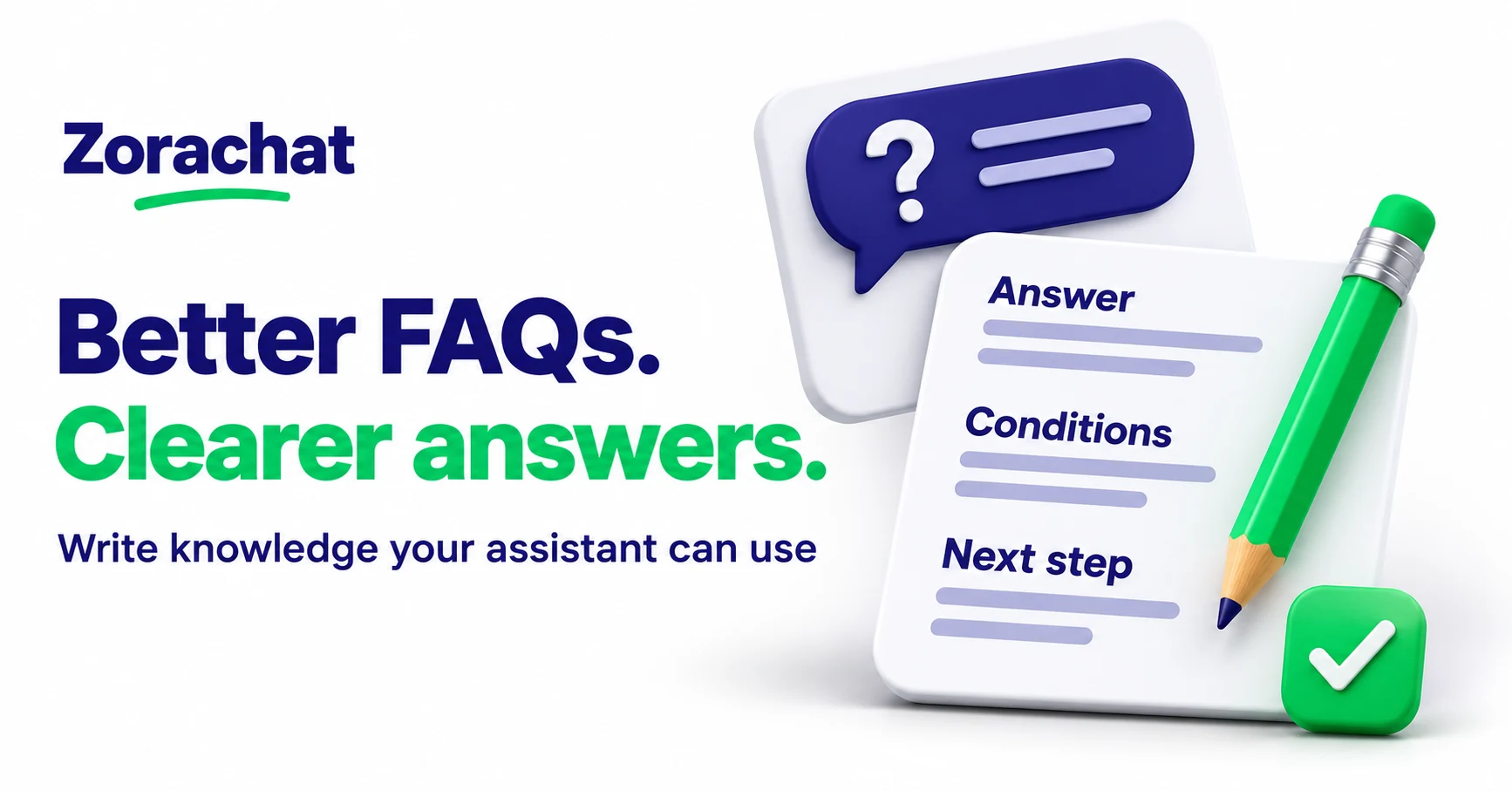
To write FAQ answers for a chatbot, start with a real customer question, give the approved answer immediately, state the conditions that change it and explain the next step when the answer cannot be confirmed. Each answer should make sense on its own without asking the assistant to fill in missing business facts.
This guide focuses on writing the content, rather than connecting channels or uploading files. It is for owners and small teams preparing knowledge for an AI assistant on their website, WhatsApp, Instagram or Facebook Messenger. The worksheet and examples below are recommended editorial practices, not additional software features.
1. Start with the question customers actually ask
Review recent conversations and note the decision behind each question. “Do you come out here?” may mean service coverage. “Can I get this by Friday?” concerns a specific arrival date, not simply whether delivery exists.
Write a clear question heading in that language. Prefer “Which areas do you cover for installation?” to “Geographical operational parameters”. Keep separate questions separate when they require different evidence or next steps.
Genesys’s FAQ-writing guidance also stresses relevant customer vocabulary and distinct, non-vague questions. Its model-specific training requirements belong to that product; they are not requirements for Zorachat.
You do not need a new FAQ for every variation of the same wording. Maintain one approved answer for the underlying question, then use alternative phrasings when testing it. Otherwise, near-duplicate entries become extra places to leave outdated information.
2. Draft with an answer, conditions and next step
Before uploading content, use a simple worksheet to expose what is known and what still needs checking:
| Part | Writing prompt |
|---|---|
| Question | What is the customer trying to find out? |
| Direct answer | What can the business currently confirm? |
| Scope | Which service, product, location or customer situation does this cover? |
| Conditions | What changes the answer, and which exceptions matter? |
| Unknowns | What requires current information or a human decision? |
| Next step | What should happen if the customer needs more help? |
| Source and owner | Where was this checked, and who keeps it current? |
The customer-facing answer does not need to display every worksheet field. Keep ownership and review notes in your maintained editorial record. Include the relevant conditions in the knowledge itself so they do not depend on someone remembering an unwritten exception.
For a broader source-selection process, read our guide to training a chatbot on website pages and documents.
3. Make each answer useful in isolation
Avoid answers such as “Yes, see above” or “That depends on the usual policy”. Name the thing being discussed and state the useful fact. A person reading just that answer should understand which question it addresses.
Lead with the answer, then add the conditions. A long introduction about your commitment to excellent service delays the information the customer needs. Conversely, an answer can be too short if it removes a condition that changes the meaning.
There is no universal word count. A simple opening-hours question may need one sentence; a preparation checklist may need several bullets. Use the shortest form that preserves the answer’s meaning, limits and next step.
Example 1: service coverage
Consider a fictional installation business whose approved service list covers three named districts. It does not offer appointments outside them.
Weak answer: “We cover most nearby areas. Send your details.”
Clearer answer:
“Our standard installation service covers Northfield, Brookside and Eastbank. We do not currently offer installation outside these districts. If you are unsure whether your address is within one of them, share the area or postcode so the team can check. A coverage check does not confirm an appointment.”
The districts and policy are illustrative. Replace them with your own checked service information. The improvement is the explicit boundary: the assistant does not have to decide what “nearby” means or imply a booking has been accepted.
Example 2: preparing for a service visit
Weak answer: “Please make sure everything is ready before we arrive.”
Clearer answer for a fictional furniture assembly service:
“Before a standard assembly visit, keep the packaged furniture and supplied instructions in the room where the item will be assembled, and clear the surrounding floor space. Do not open damaged packaging if the team has asked to inspect it first. If moving the item is difficult or a part appears missing, contact the team before the visit so they can advise.”
This example shows the level of specificity to aim for, not instructions that apply to every business. Have the person responsible for delivering the service approve the actual preparation steps. Do not add tasks simply because they sound sensible.
Example 3: custom work
Weak answer: “Yes, we can customise anything. Tell us what you need.”
Clearer answer for a fictional gift business:
“We accept requests for engraving on the items marked as customisable in our catalog. The team must confirm the design and whether it is suitable for the chosen item before agreeing a price or production date. Share the item name and the requested wording to begin that review.”
The answer explains what starts the process without inventing approval. A published FAQ cannot establish whether a particular custom request is feasible. For the conversation that follows, use our guide to handling quote requests.
4. Separate facts from behaviour instructions
A fact describes the business: “Standard assembly covers the listed districts.” An instruction describes how the assistant should behave: “If the location is unclear, ask which district the customer means.” Both can matter, but they serve different purposes.
Do not try to repair missing policy with a behavioural instruction such as “always give a helpful answer”. Decide the business answer first. Where the business has not decided, state the checking process and the boundary rather than asking the assistant to invent one.
Avoid putting private case details or internal credentials into a general FAQ. For order-specific questions, describe the route to an authorised check. Do not imply that an uploaded FAQ gives the assistant live access to an order, stock level or appointment calendar.
5. Test both the answer and its boundary
For each new FAQ, try a small set of questions:
- Direct: ask the question as written.
- Rephrased: use everyday wording from a customer conversation.
- Incomplete: leave out a detail that changes the answer.
- Outside scope: ask for an exception the business has not approved.
- Mixed: combine the topic with a second request, such as availability.
In the coverage example, ask about a listed district, an unlisted district and an ambiguous address. Check that the answer preserves the boundary and does not turn a coverage question into a confirmed visit. Save the expected answer and the source used to approve it.
If a test fails, identify whether the problem is missing content, contradictory sources or an unclear instruction. Adding another copy of the same answer may not solve it.
6. Maintain the approved version
When a service area, product option or process changes, update the maintained answer and check other sources that discuss it. An old brochure and a new FAQ should not quietly describe different rules.
Zorachat can learn from website URLs, documents and FAQs through its business-knowledge feature. Your team still needs to approve the facts, update the relevant sources and test the resulting replies. These writing practices support that work; they do not guarantee every answer will be correct.
Build your Zorachat assistant around a small set of checked answers, then improve the content as real customer questions reveal what is missing.